

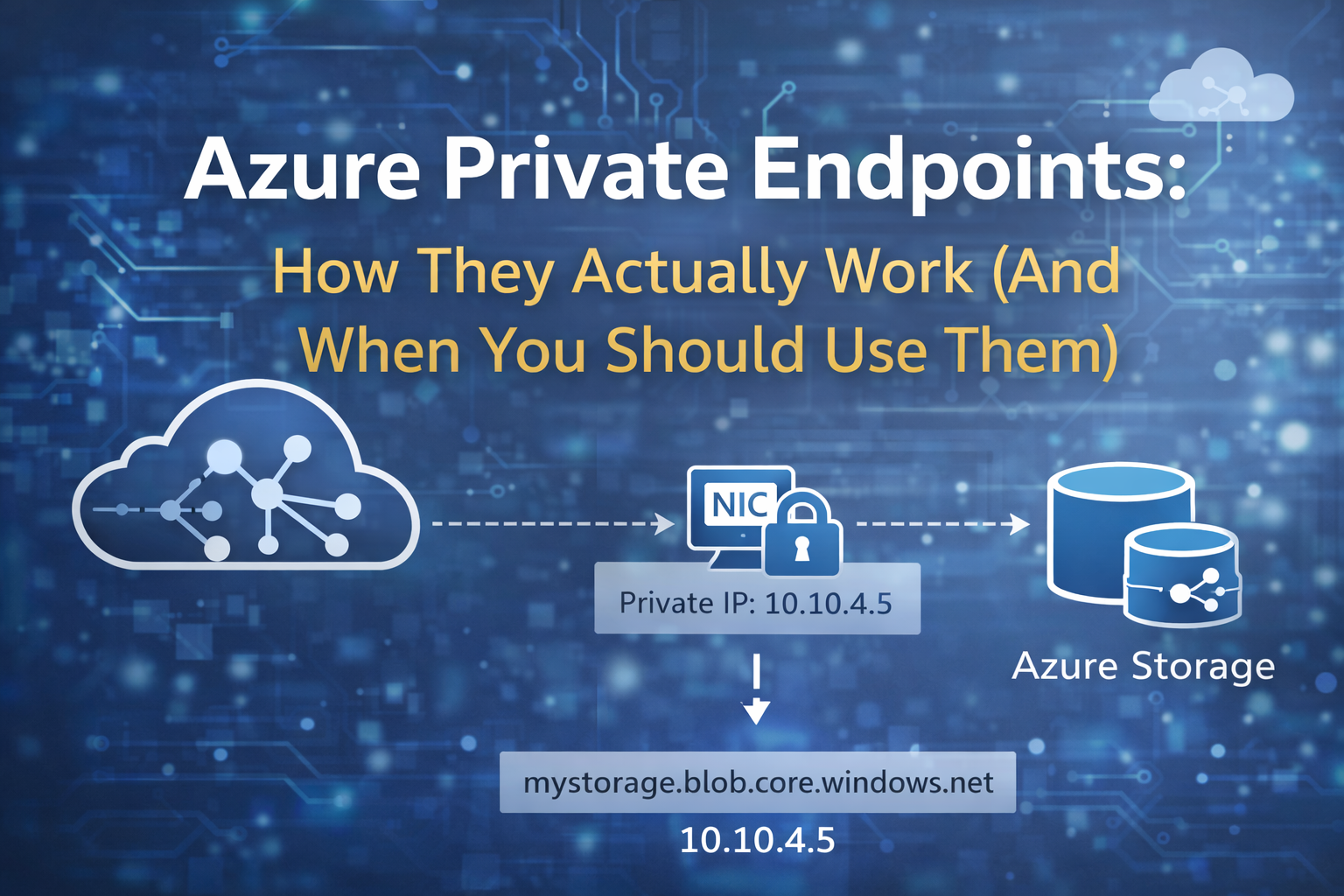
I often hear about how engineers don’t want to use private endpoints. What it really comes down to is, they don’t understand how they work. Let’s dive in and see what all the magic is about.
One of the things that surprises engineers when they start building real platforms in Azure is how many core services are public by default.
Create a storage account.
Create a Key Vault.
Create an Azure SQL database.
Each one immediately gets a DNS endpoint like this:
mystorage.blob.core.windows.net
myvault.vault.azure.net
mydb.database.windows.net
That endpoint lives on the public internet.
Yes, you can restrict access with firewall rules.
Yes, authentication is still required.
But the service itself is still publicly reachable.
For small environments, that’s usually fine. Most teams never think twice about it.
You may be comfortable initially. However, once you start working on larger platforms, things change. This is especially true in enterprise or regulated environments. That design starts raising uncomfortable questions.
Security teams ask things like:
“Why does our production database have a public endpoint at all?”
That’s usually the moment where someone suggests using Azure Private Endpoints.
And this is where things get interesting.
Because Private Endpoints are one of the most powerful — and most misunderstood — networking features in Azure.
I’ve seen teams deploy them everywhere without really understanding what they do. I’ve also seen engineers avoid them entirely because they had one bad experience with DNS.
Both approaches miss the point.
Private Endpoints aren’t just a networking toggle you flip on a resource. They’re a fundamental change in how Azure services are accessed, and they rely heavily on three pieces of infrastructure working together:
- Azure networking
- Azure Private Link
- DNS resolution
If any of those pieces are misunderstood, Private Endpoints become fragile and painful to operate. But when they’re designed correctly, they allow Azure PaaS services to behave much more like internal infrastructure inside your network.
In this article I’m going to walk through:
- what Private Endpoints actually are
- how traffic flows through them
- how DNS makes the whole system work
- where they fit into real Azure architectures
- and when they’re worth the extra complexity
This isn’t a feature overview. It’s the explanation I usually give engineers on my team when they ask:
“Should we be using Private Endpoints here?”
Because the real answer is always:
It depends on the architecture.
The Problem Private Endpoints Solve
Imagine a VM connecting to a storage account without a private endpoint.
The flow looks like this:

Even though traffic usually stays inside Microsoft’s backbone, the service itself is still publicly reachable.
The DNS record resolves to a public IP.

Your firewall rules restrict access, but the service still exists on a public interface.
This means:
- The service can be scanned
- It is technically internet exposed
- Security teams are uncomfortable with it
What organizations want instead is something that behaves like a traditional network.

That’s exactly what Private Endpoints enable.
What Azure Private Endpoints Actually Are
A Private Endpoint is simply:
A network interface with a private IP address inside your VNet that represents an Azure service.
When you create one, Azure deploys a NIC inside your subnet.
Example:
Subnet: 10.10.4.0/24
Private Endpoint NIC
IP: 10.10.4.5
This NIC becomes the entry point into the Azure service.

Your applications connect to that private IP instead of the public endpoint.
The connection then travels across Azure’s internal Private Link infrastructure to the actual service.
The Real Architecture Behind Private Endpoints
There are three critical pieces working together.
1. Private Endpoint NIC
This exists inside your VNet.
10.10.4.5
2. Azure Private Link
Private Link carries traffic internally through Azure’s network.
Private Endpoint NIC → Private Link → Azure Service
3. Private DNS
DNS redirects service names to the private IP.

If DNS is wrong, the connection bypasses the private endpoint entirely.
This is why most Private Endpoint outages are DNS problems, not networking problems.
Network Flow With Private Endpoints
Once configured correctly, the traffic path looks like this:

The service is now reachable only from networks that can reach the private IP.
Private Endpoints vs Service Endpoints
Engineers often confuse these two features.
They solve different problems.
Service Endpoints
Service endpoints allow traffic from your VNet to reach Azure services securely over the Azure backbone.
But the service still has a public endpoint.
Flow:

Private Endpoints
Private endpoints give the service a private IP inside your network.
Flow:

Comparison:
| Feature | Service Endpoint | Private Endpoint |
| Public endpoint exists | Yes | No |
| Private IP in VNet | No | Yes |
| DNS changes required | No | Yes |
| Operational complexity | Low | Higher |
| Network isolation | Moderate | Strong |
For many workloads, service endpoints are sufficient.
Private endpoints are used when you want complete removal of public access.
Enterprise Architecture Pattern
In production environments, private endpoints rarely live alone.
They are usually part of hub-and-spoke architectures.

Key architectural decisions:
- DNS centralized in the hub
- Private endpoints deployed near workloads
- VNets linked to shared private DNS zones
- Traffic stays entirely inside Azure backbone networking
DNS: The Most Important Part
If you remember nothing else from this article, remember this:
Private Endpoints are fundamentally a DNS feature.
Without DNS working correctly, the private endpoint is never used.
Example DNS record:
privatelink.blob.core.windows.net
Private DNS Zone entry:
mystorage.blob.core.windows.net → 10.10.4.5
If DNS returns the public address:
52.x.x.x
then your private endpoint is completely bypassed.
Hybrid Connectivity Challenges
Things become more complex in hybrid environments.
Consider this architecture:

On-prem DNS must forward Private Link zones.
Example conditional forwarder:
*.privatelink.database.windows.net
Without this, on-prem systems resolve the public endpoint instead of the private one.
Terraform Example
resource "azurerm_private_endpoint" "storage" { name = "pe-storage-prod" location = azurerm_resource_group.rg.location resource_group_name = azurerm_resource_group.rg.name subnet_id = azurerm_subnet.private_endpoints.id private_service_connection { name = "storage-connection" private_connection_resource_id = azurerm_storage_account.sa.id subresource_names = ["blob"] is_manual_connection = false }}
Most organizations deploy private endpoints using infrastructure as code.
This creates:
- Private endpoint NIC
- Service connection
- Network mapping
But it does not automatically configure DNS correctly unless you also deploy private DNS zones.
Common Production Problems
After deploying these environments repeatedly, the same problems show up again and again.
1. DNS Misconfiguration
The most common issue.
Engineers forget to link VNets to private DNS zones.
2. Disabling Public Access Too Early
Teams often do this:
- Create Private Endpoint
- Disable public access
- DNS not working
Result:
Service unreachable
CI/CD Systems Lose Access
Build systems outside the VNet cannot reach the service anymore.
Common victims:
- GitHub Actions
- CircleCI
- SaaS pipelines
SaaS Integrations Break
Many SaaS tools require public endpoints unless they support Azure Private Link.
When You Should Use Private Endpoints
Private Endpoints are ideal for:
Regulated Environments
Common requirements:
- NIST 800-171
- FedRAMP
- HIPAA
- Financial compliance
These frameworks often require private network access to data services.
Internal Platforms
Private endpoints work well for:
- internal APIs
- enterprise platforms
- internal data pipelines
Sensitive Data Stores
Typical services protected with Private Endpoints:
- Azure SQL
- Storage Accounts
- Key Vault
- Cosmos DB
When Not to Use Private Endpoints
They introduce real complexity.
Avoid them when:
Simpler Security Is Enough
Firewall + identity may be sufficient.
Development Environments
They slow engineers down.
Global Public Services
If your service must be accessed globally by unknown clients, private endpoints add friction.
Lessons Learned
After designing and operating multiple Azure platforms, a few rules consistently hold true.
Design DNS First
Private endpoints should never be the first step.
DNS architecture must exist first.
Use Dedicated Subnets
Create a dedicated subnet for private endpoints.
Standardize the Pattern
Use Terraform modules so every deployment behaves the same.
Do Not Use Them Everywhere
One of the biggest mistakes engineers make is deploying private endpoints for everything.
Architecture is about balance, not maximum security features.
Final Thoughts
Azure Private Endpoints fundamentally change how secure cloud architectures are built.
They allow Azure PaaS services to behave like internal infrastructure, dramatically reducing public exposure.
But they also introduce complexity:
- DNS architecture
- network dependencies
- operational overhead
Good engineers don’t blindly deploy features.
They understand how the system actually works and choose the right tool for the job.
Private Endpoints are powerful — when used deliberately.